After SEMA: How to Launch New Auto Parts Products Online Fast
The fastest way to launch new auto parts products online after SEMA is to work in a set order. Build the product pages first. Open pre-orders or coming-soon pages for anything not shipping yet. Then send your launch email, turn on paid ads and tell your dealers.

Your post-SEMA launch orderWork in this order so every message points somewhere real
Step 1
Build the product pages
Step 2
Open pre-orders or coming-soon pages
Step 3
Send launch email and turn on ads
Step 4
Tell your dealers
If buyers who saw your parts at the booth find nothing when they search, they usually find a competitor instead.
Buyers who saw your parts at the booth go home and search for them. If they find a real page with fitment, photos and a way to buy or sign up, you keep the interest you paid to create at the show.
This plan is for owners and marketing leads at aftermarket brands who came back from the show with new products, a stack of leads and a website that isn’t ready for any of it.
Gather Product Details Before You Pack Up the Booth
Launch work moves faster when the raw material is already in one place. Before the show ends, or the day you get back, collect what your web team needs for each new part:
Part numbers and names
Part numbers, SKUs and final product names.
Fitment data
By year, make, model and submodel, in the same format your site already uses.
Photos and video
Booth photos, studio shots and any short clips of the part on a vehicle.
Pricing
Or a clear decision that pricing will be announced later.
Ship dates
Expected dates from your production or supply team.
Tag your booth leads
Export the leads you scanned at the booth and tag each person by the products they asked about. That tag decides which email they get later, and it keeps a truck owner from getting pitched a part for a car he doesn't own.
How to Launch New Auto Parts Products Online: Product Pages First
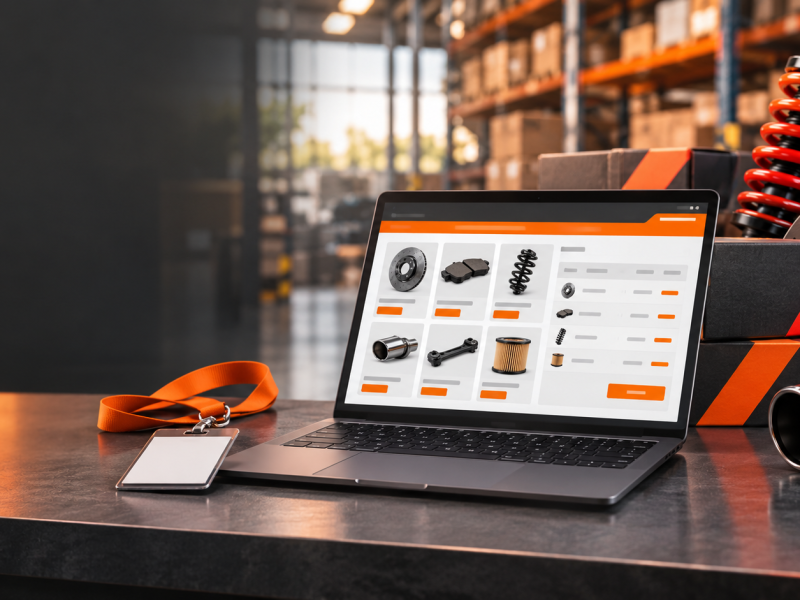
Everything else in your launch points back to the product page. Email links to it, ads send traffic to it and dealers copy from it. Build it before you promote anything.
Get fitment right on day one
Fitment is what makes an auto parts page useful. If your store has a year, make and model lookup, the new parts need to be in that data the moment they go live. A shopper who picks their vehicle and doesn’t see your new part will assume it doesn’t fit. If your product data lives in an ERP, an integration platform like Patchworks connects it to your storefront, so new parts, fitment and inventory reach the store without anyone re-keying them. If your current platform makes adding fitment slow or messy, that is a sign the system is holding you back. Our guide on replatforming without losing fitment data covers what to look for.
Tools mentioned

Write for the person who stood at your booth
The people searching for your new product already know roughly what it is. They want the details they didn’t get at the show. Explain what the part does and what it replaces. List what comes in the box. Say how hard the install is and what tools it takes.
Use your best photos, not just one hero shot. Show the part out of the box and installed. If you filmed anything at SEMA, put it on the page. Video does real work for parts buyers, and our post on install videos as an SEO asset explains how to get search value from it as well. If a part benefits from a closer look, Dopple builds 3D product visualizers and configurators that connect to BigCommerce and Shopify stores, and it lists overlanding and powersports among its industries.
Tools mentioned

Make the new parts easy to find
Group the launch in its own new-products collection, named for the season or the show, and link it from your home page and main menu. Then test your site search. Type the product name, the part number and the nickname people used at the booth. If search returns nothing, add synonyms before launch. Weak site search costs auto parts stores sales, and a new product is the worst place for that to happen. Athos Commerce builds search that works from shopper intent rather than exact keywords, and its merchandising tools let you promote products in search results and category pages, which suits a new-products push.
Tools mentioned

Check every page on a phone
Many show attendees will look you up on their phones on the way home, so a page that loads slowly or hides the buy button on mobile will lose them. Our article on why auto parts stores lose mobile sales lists the common fixes.
Pre-Orders and Coming-Soon Pages for Parts That Aren’t Shipping Yet
A lot of what shows up at SEMA is a prototype or an early run. That doesn’t mean you should wait to put it online. You have two good options, and the right one depends on how sure you are about the ship date.
The ship date is firm
Take pre-orders
Collect revenue early and learn which products and vehicles are in demand before you finish the run.
The date isn’t set
Publish a coming-soon page
Same photos, description and fitment as a live product, with an email signup in place of the buy button.
Take pre-orders when the date is firm
If production is locked in and you trust the date, take pre-orders. Most ecommerce platforms handle pre-orders through built-in settings or an app, and BigCommerce includes pre-order settings for products.
Show the expected ship window in
Decide up front whether you charge the card at checkout or when the order ships, and tell the buyer which one it is. If the date slips, email pre-order customers before they have to ask. A launch can also bring orders from states you rarely ship to, and a tax tool like Avalara automates sales tax calculation, which takes that work off your team. Once parts ship, Route offers order tracking and coverage for lost or damaged packages, which can cut down on “where is my order” emails.
Tools mentioned



Use a coming-soon page when the date is not set
If you don’t have a firm date, publish a coming-soon page instead. Give it the same photos, description and fitment you would use for a live product, and replace the buy button with an email signup that alerts shoppers when the part is available. Every signup is a warm lead who told you exactly what they want.
Keep the same URL
Keep the coming-soon page live and indexed so it can start building search visibility. When the part ships, turn the same URL into the full product page. You keep any links and rankings it earned, and everyone on the signup list gets an email the day it goes on sale.
Send Launch Email to the Right Lists
Email is usually the cheapest traffic you will get for a new product, as long as it goes to the right people. Split your sends instead of blasting one message to everyone.
Send first
Booth leads
Thank them for stopping by and link straight to the product they asked about, while the show is still fresh. Only email people who agreed to hear from you.
Launch announcement
Existing customers
Ideally filtered by the vehicles they have bought for. A new part for a platform they own is far more relevant than a general catalog update.
Their own messages
Coming-soon signups and pre-orders
A confirmation when they sign up, updates on timing and a clear email on the day the part starts shipping.
Plan a short follow-up for people who clicked but didn’t buy. An email platform that connects to your store data makes splitting lists easier, and Dotdigital covers email and SMS in one place. For more on building email flows that keep parts buyers coming back, see our post on auto parts email marketing that turns buyers into repeats.
Tools mentioned

Use Paid Ads Where Buyers Are Already Looking
Before you spend a dollar
Make sure the product page is live and your tracking works. Test a purchase or a signup and confirm it shows up in your analytics and ad accounts. Otherwise you are paying for clicks you can't measure.
Once tracking is set, start where intent is highest:
Search ads
On the product name and part number, to catch people who already heard about it.
Retargeting
Brings back visitors who viewed the new page and left.
Shopping ads
Need the new SKUs in your product feed with accurate titles, part numbers and images, so update the feed when the pages go live.
Paid social
Shows a new part in action with short video from the show or an install. Target by vehicle interest, not broad automotive audiences.
Our page on auto parts ecommerce marketing built on product data explains why clean data makes those ads perform better. If past social campaigns felt like money down the drain, read how to stop wasting budget on paid social ads for auto parts before you launch.
Ads and email will also bring first-time buyers you have never seen. Signifyd decides whether to approve or decline activity at login, checkout and returns, which can be a useful check on those first orders.
Tools mentioned

Tell Your Dealers Before Your Customers Do
Few things frustrate a dealer more than a customer asking about a part the dealer has never heard of. Send dealers the news before or at the same moment as your public launch. Give them everything they need to list and sell the product without calling you:
A product sheet
Part numbers, descriptions and pricing, including any minimum advertised price rules.
Images and video
High-resolution images and any video they are allowed to use.
Fitment data
A fitment file or updated product data feed they can import.
Availability
Expected timing and how pre-orders through dealers will work.
If you run a B2B portal, add the new parts there at the same time they appear on your retail site, with dealer pricing already set. A dealer who can order the moment they read your email is more likely to stock the part. If you invoice dealers, Payroc offers invoicing and billing tools alongside an online checkout gateway.
Tools mentioned

When Your Website Can’t Keep Up With Your Product Line
If every launch turns into a scramble, the problem is often the platform, not the people. Adding products, fitment and pre-orders should be routine work. Our guides on the best ecommerce tech stack for automotive parts and choosing the best ecommerce platform for auto parts walk through what a store needs to handle a growing catalog.
Chevelle.com
“It has been almost a year since we went live and our sales are through the roof this year. Thank you guys for all your help.”
Matthew Williams
That was a full site launch rather than a single product drop, but the same groundwork, clean fitment and pages that are easy to update, is what makes every product launch after it faster.
Blayzer has built ecommerce sites since 1998, and our St. Louis team does auto parts ecommerce website design and development for brands that want new products live while show buyers are still searching for them.
Planning Your Next Launch?
Talk to a Blayzer expert about your goals and get a straight answer on the best next step.