
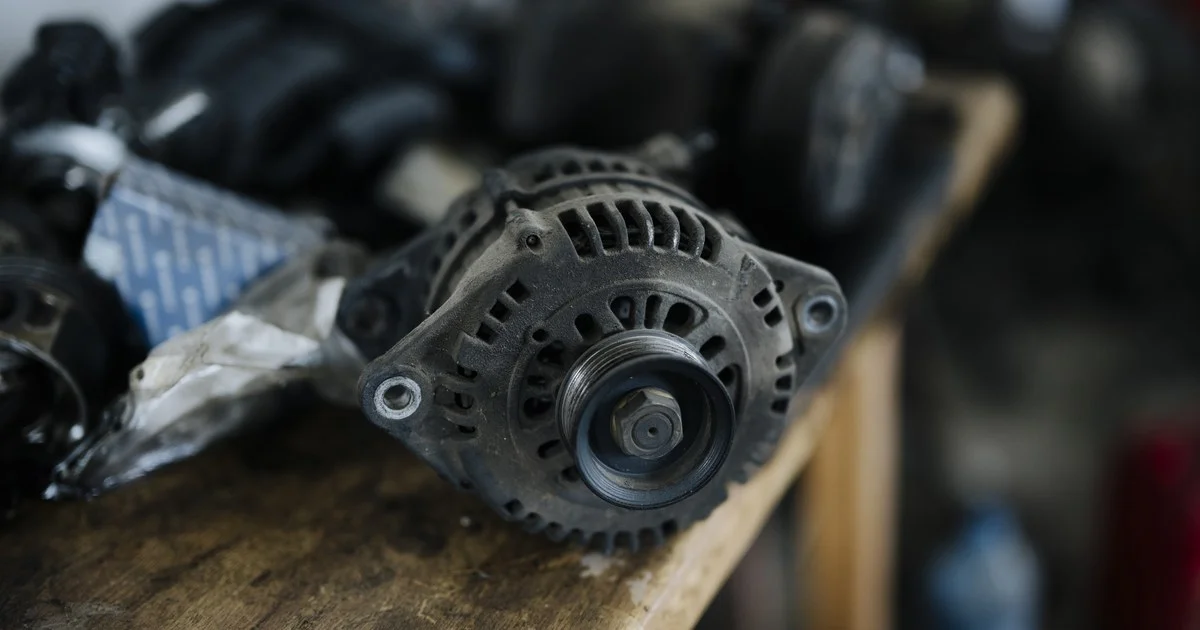
Core Charge Ecommerce Auto Parts Guide: Showing, Charging and Refunding Core Deposits
A core charge should never surprise a buyer. Show the deposit on the product page, list it as its own line in the cart and at checkout, and refund it automatically once the old part comes back and passes inspection. Most of the trouble in core charge ecommerce auto parts sales comes from skipping one of those steps, or from tracking core returns by hand in a spreadsheet that only one person understands. Below is how to set up each stage, plus the platform and ERP choices that keep the process from eating your team’s week.
Why core charges cause problems online
At a parts counter, the core charge is a quick conversation. The person behind the counter explains the deposit, takes the old alternator off the customer’s hands and gives the money back. Online, nobody is there to explain anything. The buyer sees a price, adds the part to the cart, and then meets a bigger total at checkout with a line item they do not recognize.
That gap tends to show up in the same places:
- Shoppers abandon the cart when the total jumps late in checkout.
- Your support inbox fills with questions about the extra charge and how to get it back.
- Refunds stall for weeks because nobody can match a returned core to the order it came from, which is how a confused customer turns into a chargeback.
Each of these problems traces back to unclear display, loose order data or a manual refund step. Fix the display, tighten the order data and automate the refund, and most of the pain goes away.
Showing the core deposit on the product page
The product page is where you set expectations. Put the core charge directly under the price, in the same visual block, so it reads as part of the cost of buying the part and not as fine print. A short line that names the deposit, states the amount and calls it refundable, followed by a link to your core return policy, answers the first question before it becomes a support ticket.
Store the core amount at the SKU or variant level. Core deposits often differ between part numbers in the same product line, and a single flat value copied across a category will be wrong for some of them. If your catalog uses fitment data, the core amount should travel with the part number the same way the fitment does.
Separate price or combined total
You have a choice in how you display the numbers. Showing the part price and the core deposit as two clear figures keeps your price competitive in search results and comparison shopping, and it makes the refund easy to understand. Some sellers also show a due-today total that combines the two. That works well as a second line, as long as the part price stays the main figure and the deposit is clearly labeled refundable.
Explain what counts as a returnable core
Remanufactured parts online sales depend on getting usable cores back, so tell buyers what you accept before they order. Spell out your conditions in plain words: for example, whether the core must be the same part type, whether it can be disassembled, and what kind of damage disqualifies it. Put a short version on the product page and the full policy on its own page. A buyer who knows the rules up front is far less likely to dispute a rejected core later.
Charging the core deposit in the cart and at checkout
In the cart, the core deposit should appear as its own line, tied to the part it belongs to. Label it the same way you did on the product page so the buyer recognizes it immediately. The link between the two lines matters more than the label. When the customer changes the quantity of the part, the core quantity should change with it, and when they remove the part, the core line should disappear too.
A few other details are easy to get wrong:
- Discounts. Decide whether promo codes apply to core deposits. Excluding them keeps the refund amount simple, because a discounted deposit leaves the buyer unsure what they will get back.
- Shipping. The core line should carry no weight or dimensions, so it does not inflate shipping rates.
- Sales tax. Confirm with your tax advisor how core charges are treated in the states you ship to, and configure the core line to match.
The order confirmation email should repeat the deposit amount, explain how to return the core and link to the return form. That email is the document most buyers will dig up when it is time to send the old part back, so treat it as part of the core return process and not just a receipt.
How a core charge Shopify setup usually works
On Shopify, a core charge is typically built as a separate core deposit product that an app or custom cart logic adds next to the part. That approach can work well, but test it hard before launch. Change quantities, remove the part, apply a discount code, split the order across shipments and issue a partial refund. Every one of those actions should leave the part and its core deposit in step with each other. BigCommerce, Shopware and WordPress stores face the same questions with different tools, and the right answer depends on your catalog size and back-office systems. Our guide to choosing the best ecommerce platform for auto parts covers how the major platforms compare for parts sellers.
Running the core return process without spreadsheets
A clean core return process starts from the original order. Every returned core needs to connect back to a specific order line, or your team ends up guessing which refund belongs to which box on the dock.
- The customer starts the core return from their account page or from a form that asks for the order number.
- Your system issues a return authorization tied to that order line, along with a label or shipping instructions.
- When the box arrives, the warehouse scans the return authorization so the core is matched to the order without anyone typing it in.
- Staff inspect the core and record a pass or a fail, with a reason code for any failure.
- A pass triggers the deposit refund to the original payment method, and the customer gets an email confirming it.
The scan at the dock does most of the work here. Once the core is matched to the order automatically, the refund can be automatic too.
Set a return window and say what happens after it
Choose a return window that fits your remanufacturing cycle and state it clearly on the product page, the policy page and the confirmation email. Then decide what happens when the window closes. Some sellers keep the deposit, while others accept late cores at a reduced refund. Whatever you choose, write it down and apply it the same way every time, because inconsistent exceptions are what create disputes.
Automated reminders help buyers return cores on time. A short email partway through the window, with a link to start the return, is a simple nudge that costs nothing to send. The same tools behind auto parts email marketing that turns buyers into repeats can send these reminders based on order data.
Handle rejected cores with evidence
When a core fails inspection, take photos and attach them to the return record. Send the customer an email that explains the reason in plain words and shows the photo. That step settles many disagreements before they start and gives you documentation if a chargeback does come in.
Refunding core deposits cleanly
Refund the deposit to the original payment method as a partial refund on the original order, against the core line only. This keeps your order history accurate and makes reconciliation simple. Store credit can be offered as an option, but forcing it on buyers who paid by card tends to generate complaints.
Your accounting team will also want visibility into deposits that are still out. Until a core comes back or the window closes, that money is not really revenue. A simple report of open core deposits by order date, part number and customer lets finance see what is outstanding and lets your purchasing team forecast how many cores will be available for remanufacturing.
Platform and ERP choices that make core charges easier
The storefront is one piece of the setup. For most parts sellers and remanufacturers, the ERP or order management system is where core data should live, because that is where inventory, purchasing and accounting already sit.
A setup that holds up as you grow usually looks like this:
- The ERP holds the core amount for each part number and syncs it to the storefront, so prices and deposits never drift apart.
- Orders flow into the ERP with the core line attached to its parent part.
- Return authorizations are created against the order line, either in the ERP or in a returns tool that integrates with it.
- Inspection results flow back to the storefront, which triggers the refund and the customer email.
When you talk to platform or integration vendors, ask them to show you the full loop on a test order: a purchase with a core, a quantity change, a core return, a failed inspection and a partial refund. If any step needs someone to re-key data between systems, that is where your manual headaches will come from. Our post on the best ecommerce tech stack for automotive parts and products goes deeper on how the storefront, ERP and supporting tools fit together.
When core charges are a reason to replatform
If your current store cannot tie a core deposit to its part, cannot issue a partial refund against a single line, or cannot pass return data to your ERP, workarounds will only get more expensive as order volume grows. That is often the point where replatforming makes more sense than another plugin. Moving a parts catalog takes planning, especially when fitment and core data both have to survive the move. Our auto parts ecommerce migration and replatforming team handles that work, and our guide to replatforming without losing fitment data explains what to protect along the way.
If you are building a new parts store or rebuilding the one you have, plan the core deposit flow at the start, alongside fitment and search, as part of your auto parts ecommerce website design and development. Adding it after launch costs more and usually leaves gaps between the storefront and the back office.